How to Initiate a Discussion From Anywhere in the Portal
by
Portal Web Editor
—
last modified
May 08, 2020 04:00 AM
Instructions for initiating a discussion in a group that you are a member of from anywhere in the portal.
This tutorial describes how to initiate a discussion from anywhere in the portal. Keep in mind that you must be logged in and a member of a group in order to initiate a discussion.
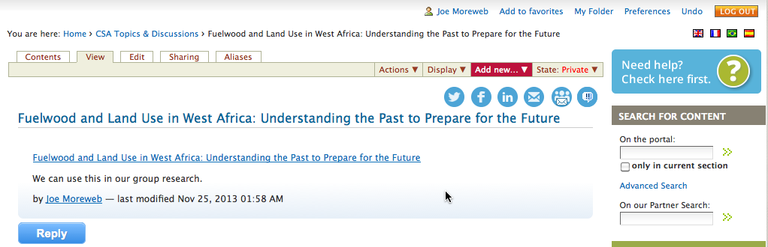
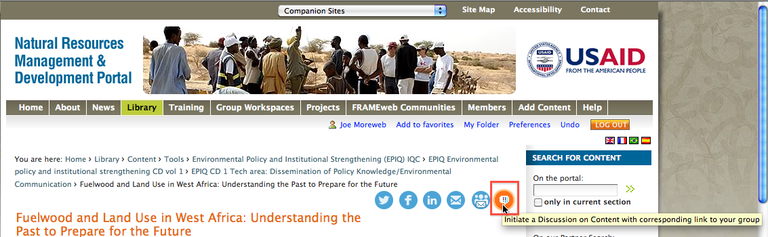
1. Click the Initiate a Discussion chiclet in the upper right corner of your screen.
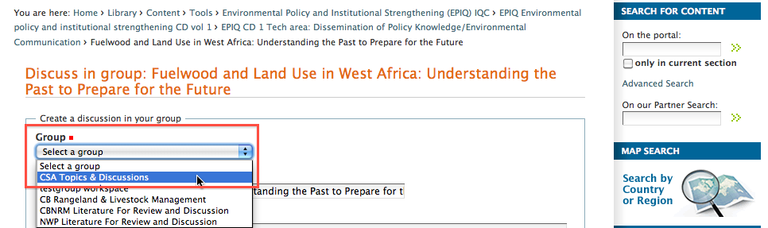
2. In the window that appears, select a group that you are a member of from the drop down menu.
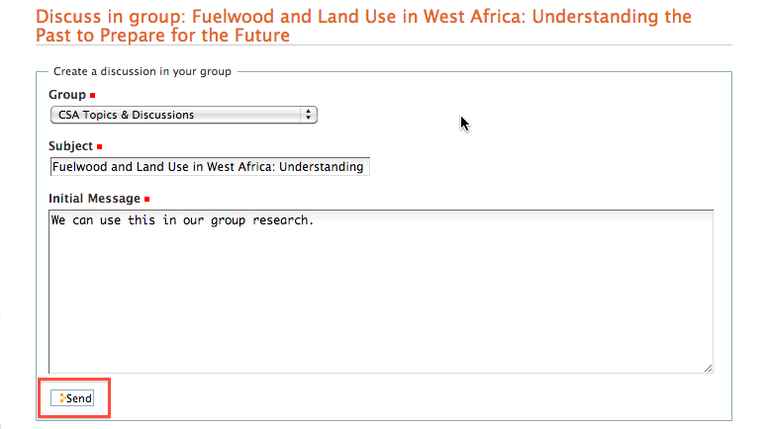
3. The Subject field will be auto filled, although you may change it if you so desire. Keep in mind that the Subject will serve as the title of your discussion. Add a message to the Initial Message field and click Send.
4. You will be taken to your group’s discussion area where you will see your discussion.